Enable SSH on Vsphere ESXi
If you are trying to access Vsphere ESXi via SSH and the SSH is not working, verify the following thing in order to enable SSH.
Verify if SSH is enabled on Vsphere ESXi (using Console)
- Launch Vsphere ESXi Console
- Press F2 to Customize System/View Logs
- Enter username as root and password for root
- Go to Troubleshooting Options
- Go to Enable SSH > Enable if not Enabled
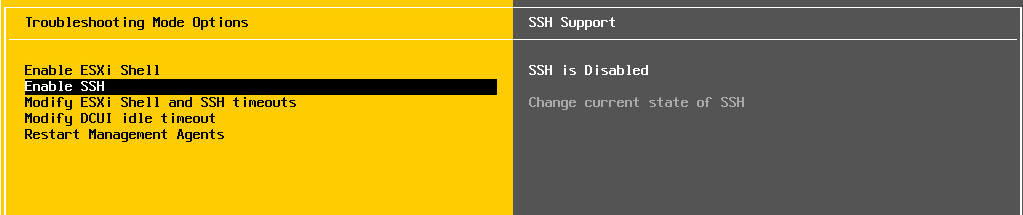
Verify if SSH is enabled on Vsphere ESXi Client
- Launch Vsphere ESXi Client
- Go to Configuration Tab > Security Profile > Click on Properties
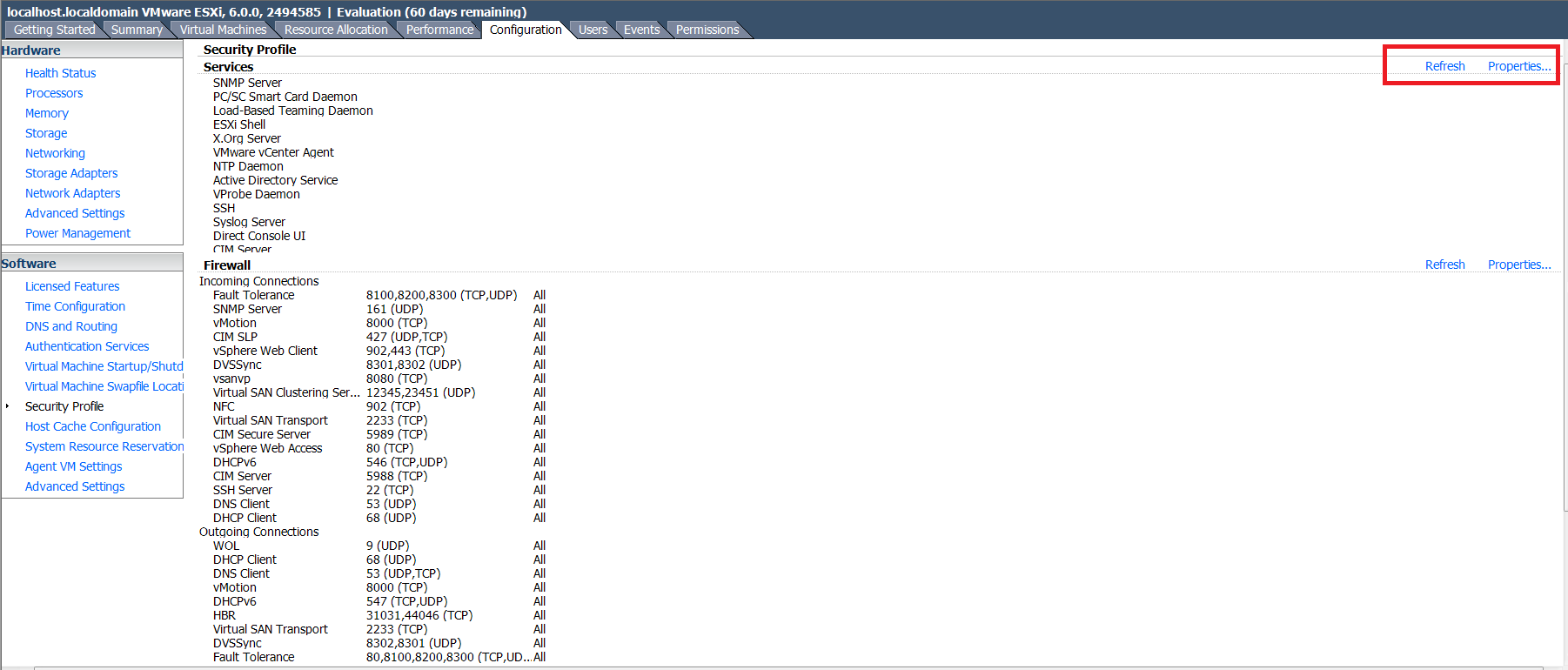
- Verify if SSH is Running
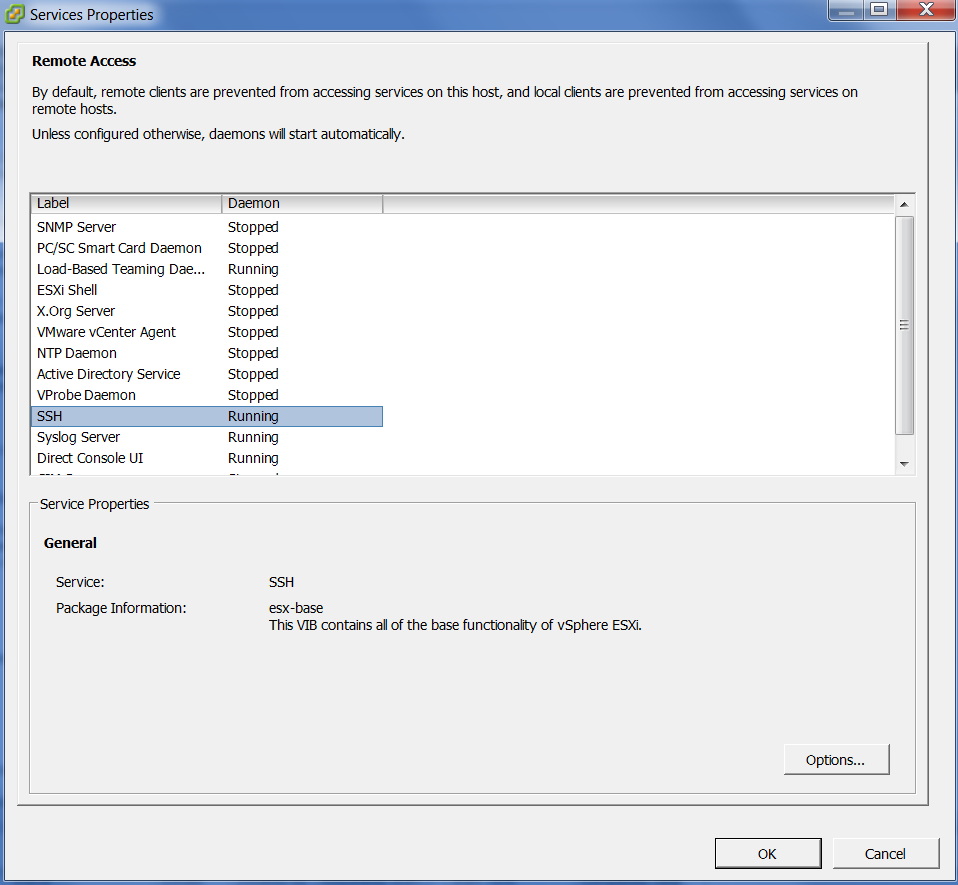
- Click on OK
- Click on Properties
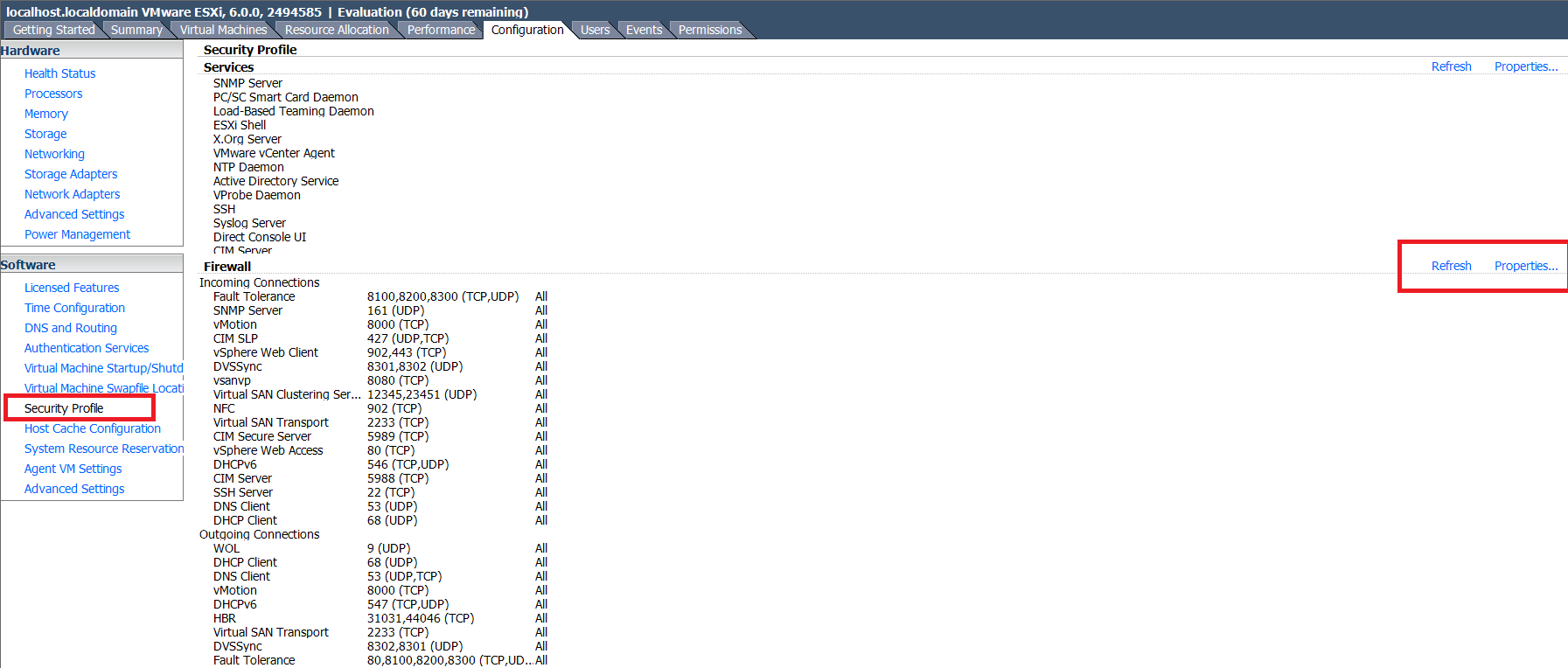
- Verify if SSH Server Incoming Port is configured as Port number 22
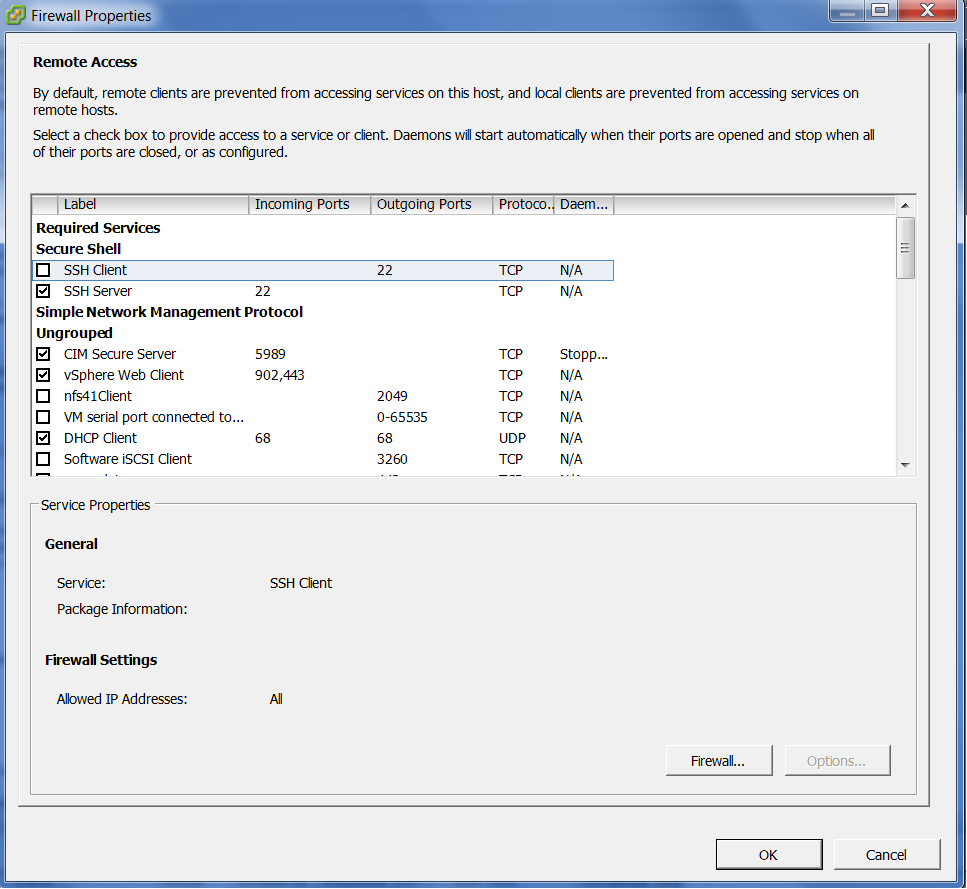
- Click on OK
Hope this helps!!

Pingback: Running VMWare ESXi 60 days trial license? Reset the license