Installing Lync 2013 Server or Skype for Business – Getting error “Warning: Request-CSCertificate failed”
When deploying Skype for Business / Lync server in my lab, i got an error “Warning: Request-CSCertificate failed” in the step where we have to request for a certificate.
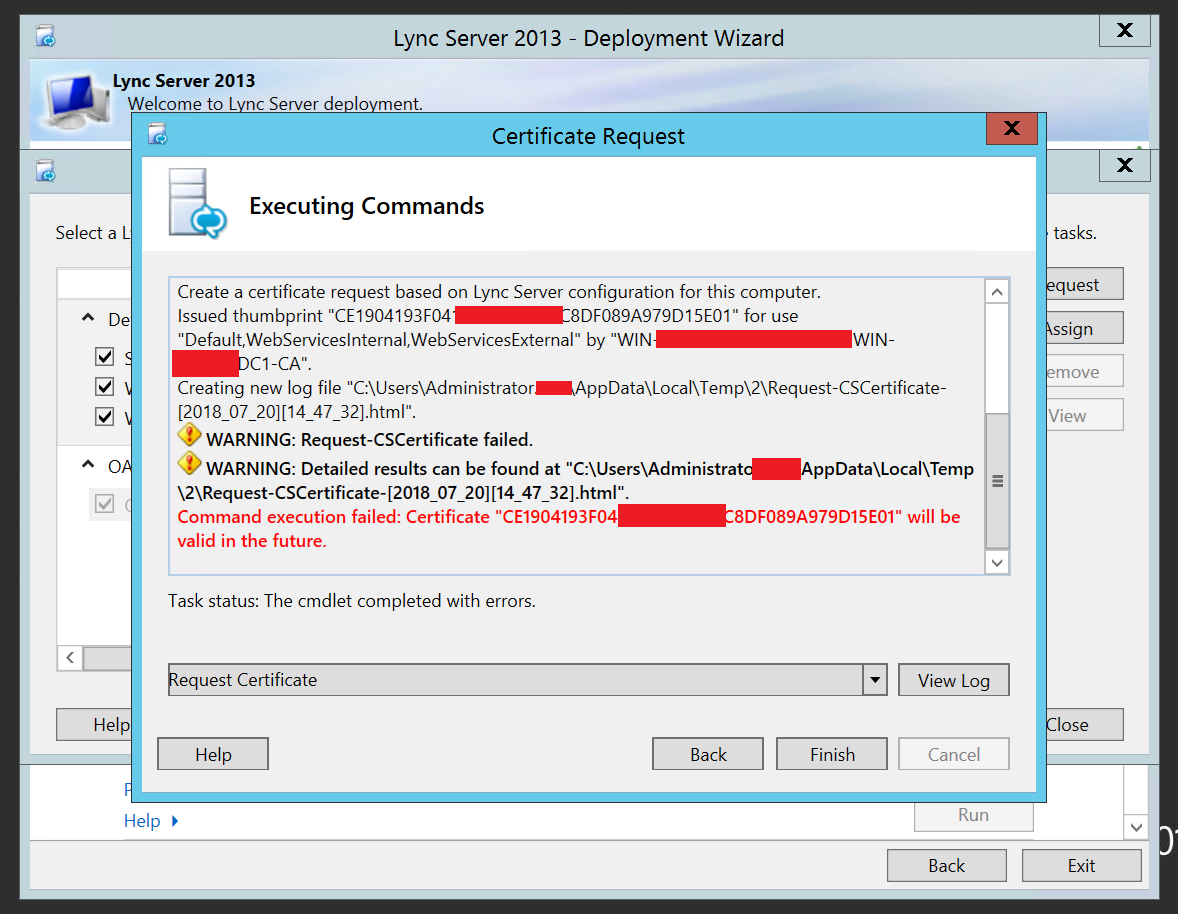
Login to Certificate Authority (CA) Server :
To troubleshoot and resolve the issue, I simply logged into my CA server and made the following changes:
- Login to Windows CA Server
- Go to Run and type “certsrv.msc”
- Right Click CA server and click on Properties
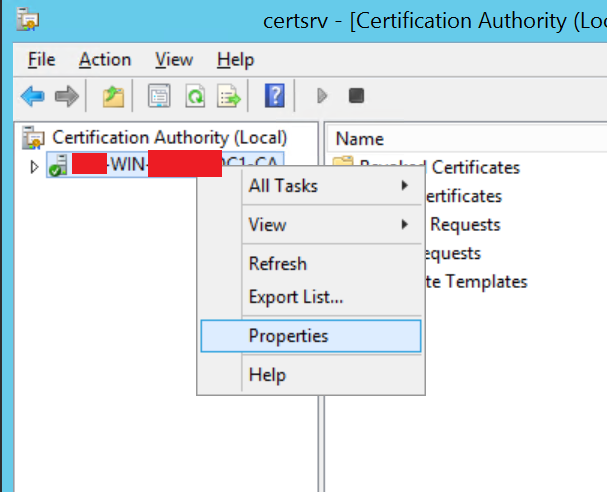
- Click on Security tab
- Select the Username that you are using while installing the Lync Server. I was using Administrator in my lab server and hence i selected Domain\Administrator
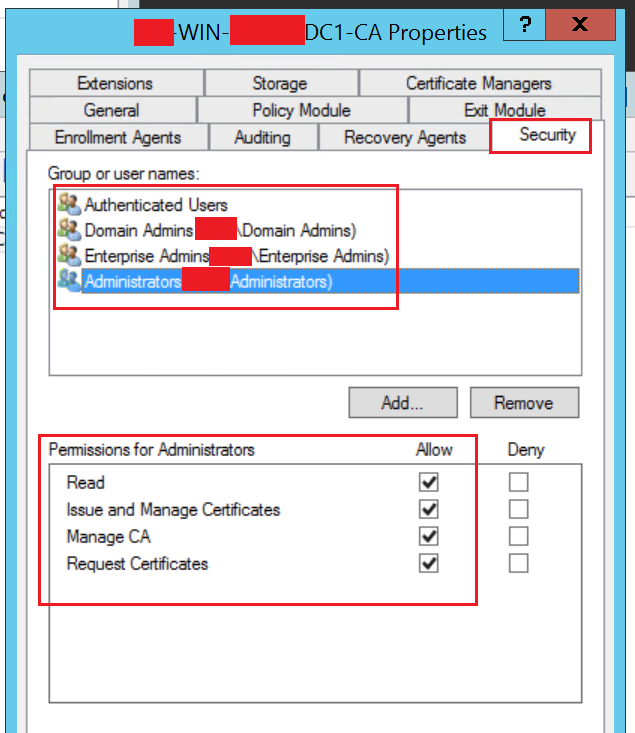
- Checkbox “Request Certificates” and click on Apply and OK.
- Re-run the “Request” certificate wizard and the issue should be resolved.
That’s all, i hope this helps!